Integrating OpenCode with CodingPlanX Custom Models
Use OpenCode, the open-source terminal AI programming assistant, paired with the CodingPlanX API to create the ultimate command-line development experience.
🌟 Project Introduction
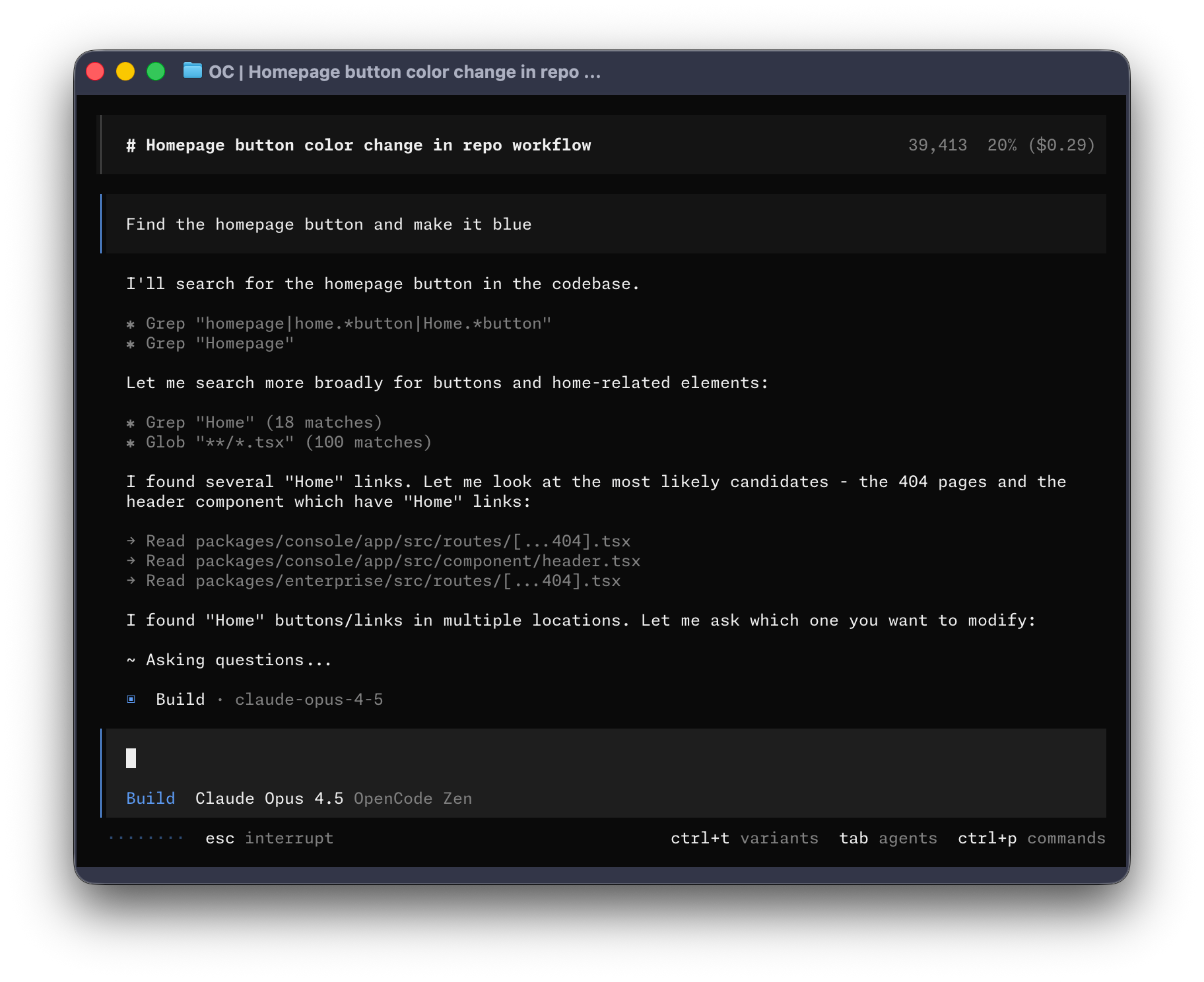
OpenCode is a 100% open-source terminal AI programming assistant. It is similar in design to Claude Code but offers extreme flexibility and customization capabilities. It is not bound to any specific AI service provider, supports seamless switching between multiple models, features native LSP (Language Server Protocol) integration, and boasts a geek-friendly TUI (Terminal User Interface).
1. OpenCode Core Features
OpenCode is an open-source AI programming agent developed by the SST team, built specifically for geeks and heavy terminal users:
- 🔓 100% Open Source: Based on the MIT license, the code is completely transparent.
- 🧠 Multi-Model Support: Can configure and seamlessly switch between Claude, OpenAI, Google Gemini, and more.
- ⚡ Native LSP Support: Built-in Language Server Protocol provides blazing fast and accurate intelligent code analysis and navigation.
- 🖥️ TUI First: Designed for terminal users by veteran Neovim users, fully keyboard-operable.
- 🌐 C/S Architecture: Supports remote driving; run the server locally and control it remotely via mobile or another PC.
- 🔄 Dual Built-in Agents: Includes
build(full read/write access for main development) andplan(read-only for analysis and planning) by default.
2. oh-my-opencode (Recommended Enhancement)
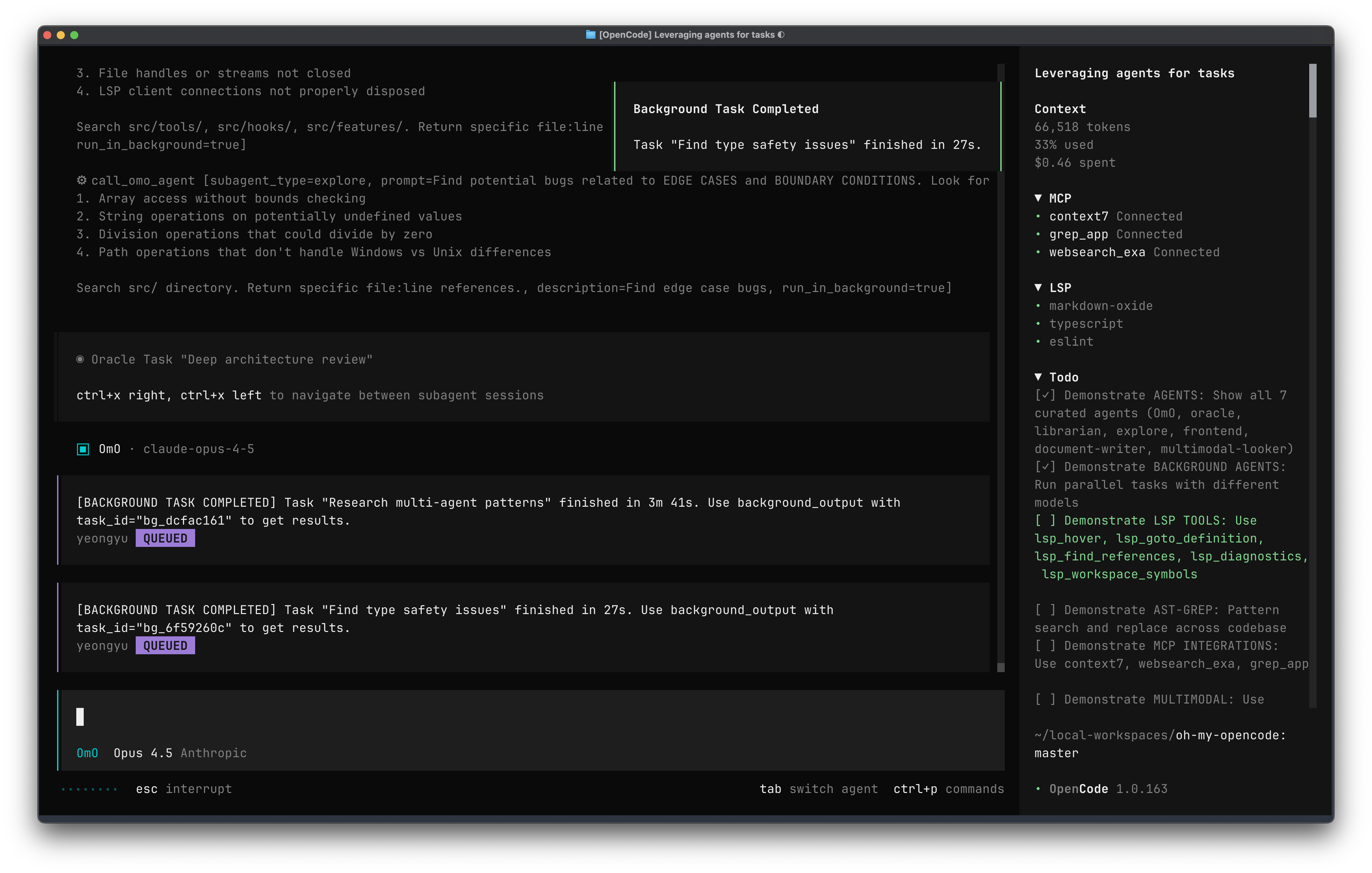
oh-my-opencode is the ultimate enhancement plugin for OpenCode, known in the community as "OpenCode on steroids". It provides an out-of-the-box professional AI programming experience.
Core Enhancement Features:
- Async Sub-agents: Parallel task processing capabilities similar to Claude Code, significantly improving efficiency for complex tasks.
- Curated Agent Configs: Pre-configured with multiple professional agent roles (e.g., Architect, Librarian, Explorer).
- Advanced AST Tools: Supports smart refactoring, deep code analysis, symbol search, and other advanced features.
- Ultrawork Mode: Simply add
ultraworkto your prompt to automatically enable the ultimate parallel processing mode.
Built-in Agent Roles Overview:
| Agent Name | Recommended Model | Core Purpose |
|---|---|---|
| 👑 Sisyphus | Claude Opus 4.6 | Main orchestration agent, responsible for global planning and delegating background parallel tasks |
| 🔮 Oracle | GPT 5.2 | Architecture design, deep code review, technical strategy analysis |
| 📚 Librarian | Claude Sonnet 4.6 | Multi-repo analysis, official documentation lookup, finding open-source implementation examples |
| 🗺️ Explore | Grok Code / Haiku | Rapid code scanning, repository exploration, and pattern matching |
| 🎨 Frontend | Gemini 3 Pro | Frontend specialist, excels at creating beautiful and intuitive UI/UX |
🚀 Installation and Configuration
Step 1: Install OpenCode Main Program
OpenCode iterates very quickly, so it is recommended to use the official script to install the latest version (Official Docs):
# Quick install using curl (Recommended)
curl -fsSL https://opencode.ai/install | bash

# Or use Node.js package managers
npm install -g opencode  # bun / pnpm / yarn also work

# macOS users can also use Homebrew
brew install opencode
Step 2: Install oh-my-opencode (Highly Recommended)
oh-my-opencode provides out-of-the-box professional configuration templates, saving you from tedious manual tuning:
bunx oh-my-opencode install
💡 Tip: The installation process will enter an interactive wizard asking which AI subscriptions you have (e.g., Claude, ChatGPT). Please check the boxes according to your actual situation.
Step 3: Configure CodingPlanX API Endpoints and Models
This is the most crucial step! Please use a text editor to create or modify the configuration file: ~/.config/opencode/opencode.json.
🎯 About Model Selection: The configuration template below uses the Claude series and GPT Codex series models provided by CodingPlanX. They perform best in various authoritative programming benchmarks and are the golden duo for developers.
Copy the following JSON content entirely and overwrite your opencode.json:
{
  "$schema": "https://opencode.ai/config.json",

  "provider": {
    "anthropic": {
      "options": {
        "baseURL": "https://api.codingplanx.ai/v1"
      }
    },
    "openai": {
      "options": {
        "baseURL": "https://api.codingplanx.ai"
      }
    }
  },

  "model": "anthropic/claude-opus-4-5-20251101",
  "small_model": "anthropic/claude-haiku-4-5-20251001",
  "default_agent": "build",

  "permission": {
    "read": "allow", "list": "allow", "glob": "allow", "grep": "allow",
    "codesearch": "allow", "lsp": "allow",
    "edit": "ask", "bash": "ask", "webfetch": "ask", "websearch": "ask",
    "external_directory": "deny", "doom_loop": "ask"
  },

  "agent": {
    "plan": {
      "mode": "primary",
      "description": "Planning/Breakdown/Tech Spec (Read-only to prevent accidental code changes)",
      "model": "anthropic/claude-opus-4-5-20251101",
      "temperature": 0.1,
      "prompt": "You are a senior tech lead. Goal: Break down requirements into actionable steps (including acceptance criteria/risks/rollbacks). Default to read-only; do not modify files or run commands. If execution is truly needed, explain why and suggest switching to build/codex.",
      "permission": { "edit": "deny", "bash": "deny", "webfetch": "deny", "websearch": "deny", "doom_loop": "deny" }
    },

    "build": {
      "mode": "primary",
      "description": "Main Development (End-to-end implementation/debugging/fixing tests) - Claude Opus 4.6",
      "model": "anthropic/claude-opus-4-5-20251101",
      "temperature": 0.2,
      "prompt": "You are the primary software engineering agent. Priorities: Minimum viable changes, readability, testability. Briefly explain your plan before making changes. After changing, you must provide: key diff points, how to verify locally (commands), and potential edge cases.",
      "permission": { "edit": "allow", "bash": "allow", "webfetch": "ask", "websearch": "ask", "doom_loop": "ask" }
    },

    "codex": {
      "mode": "primary",
      "description": "Refactoring/Migration/Major Changes (Codex) - GPT-5.2",
      "model": "openai/gpt-5.2-2025-12-11",
      "temperature": 0.2,
      "prompt": "You are a Codex-style engineering agent, excelling at large-scale refactoring, migrations, code reviews, and complex toolchain collaboration. Prioritize keeping the project runnable: step-by-step commits, verifiable at each step. Add safeguards and tests first when uncertain.",
      "permission": { "edit": "allow", "bash": "allow", "webfetch": "ask", "websearch": "ask", "doom_loop": "ask" }
    },

    "review": {
      "mode": "subagent",
      "description": "Code Review/Second Brain (Read-only) - GPT-5.1-Codex-Max",
      "model": "openai/gpt-5.1-codex-max",
      "temperature": 0.1,
      "prompt": "You are a strict code reviewer. Output: 1) Key risks (bugs/security/concurrency/edge cases) 2) Maintainability suggestions 3) Minimal modification suggestions (pseudo-diff is fine) 4) Necessary test points. Default to read-only; do not modify files or run commands.",
      "permission": { "edit": "deny", "bash": "deny", "webfetch": "deny", "websearch": "deny", "doom_loop": "deny" }
    },

    "explore": {
      "mode": "subagent",
      "description": "Rapid Code Scanning/Locating Files/Context Summarization (Read-only) - Claude Haiku 4.5",
      "model": "anthropic/claude-haiku-4-5-20251001",
      "temperature": 0.1,
      "prompt": "You are a rapid exploration sub-agent: Use minimal steps to locate relevant files/functions/call chains, providing clear paths and summaries. Default to read-only; do not modify files or run commands.",
      "permission": { "edit": "deny", "bash": "deny" }
    },

    "general": {
      "mode": "subagent",
      "description": "General Research/Documentation/Solution Comparison (Medium cost) - Claude Sonnet 4.6",
      "model": "anthropic/claude-sonnet-4-5-20250929",
      "temperature": 0.2,
      "prompt": "You are a general analysis sub-agent: Focused on explaining, weighing options, writing documentation, and comparing solutions. Default to read-only; avoid modifying code if possible.",
      "permission": { "edit": "deny", "bash": "deny" }
    },

    "think": {
      "mode": "subagent",
      "description": "Assisted Thinking/Deducing Edge Cases (Read-only) - GPT-5.2",
      "model": "openai/gpt-5.2-2025-12-11",
      "temperature": 0.2,
      "prompt": "You are a reasoning and edge-case deduction sub-agent: Provide structured analysis and suggestions regarding design, exception paths, concurrency/consistency, and performance bottlenecks. Default to read-only.",
      "permission": { "edit": "deny", "bash": "deny" }
    }
  }
}
Step 4: Configure API Keys
Since we configured two providers (Anthropic and OpenAI), you need to bind the API Keys you obtained from CodingPlanX within OpenCode.
- Type
opencodein the terminal to start the program. - In the dialog, type the
/connectcommand. - Configure Claude:
- Select Anthropic -> Select Manually enter API Key.
- Paste your CodingPlanX API Key and press Enter to save.
- Configure OpenAI:
- Type
/connectagain. - Select OpenAI -> Select Manually enter API Key.
- Paste your CodingPlanX API Key and press Enter to save.
- Type
- Type
/exitto quit, then restartopencodefor the configuration to take effect.
🔐 Note: Your API Keys are securely saved locally in the
~/.local/share/opencode/auth.jsonfile.
💡 Advanced Usage Tips
After completing the configuration, type opencode in the terminal to start chatting:
> Hello, please read the package.json in the current directory and introduce this project.
1. ⚡ Ultrawork (Ultimate Parallel Mode)
If you installed oh-my-opencode, simply add ultrawork (or ulw for short) to your prompt, and OpenCode will summon the main agent to break down the task and dispatch it to background sub-agents for parallel processing:
> ultrawork Help me refactor the authentication module in the src/auth directory and add unit tests.
2. 🎯 @ Syntax for Targeted Agent Summoning
You can use the @ symbol to precisely dispatch specific tasks to the professional agents we configured in the JSON:
> @review Help me review the newly committed login.ts logic for any security vulnerabilities.
> @explore Search for all API endpoints in the project that call getUserInfo.
> @general Help me compare whether it's better to use React Context or Redux for the current project.
3. 🔄 Tab Key for Rapid Mode Switching
Press the Tab key in the input box to quickly cycle between main agents:
- build: Main mode, with full file read/write and terminal execution permissions.
- plan: Safe mode, read-only permissions, used for initial requirements breakdown, architecture analysis, and technical planning to prevent AI from accidentally modifying code.
🛠️ FAQ & Troubleshooting
Q1: Prompts API connection failure or timeout?
- Check if the
baseURLinopencode.jsonis correct. - Check if the terminal has proxy conflicts (usually using a direct IP bypasses system proxy issues).
Q2: Prompts "Model not found" or model unavailable?
- Confirm that the model ID in the configuration file (e.g.,
claude-opus-4-5-20251101) exactly matches the model list provided by CodingPlanX officially. Do not misspell it.
Q3: oh-my-opencode plugin throws an error?
- The plugin is in a high-speed development phase. If you encounter a bug, try updating:
bunx oh-my-opencode update. - For more configuration issues, please refer to the oh-my-opencode Official Documentation.